
Co-founder & product lead
A good conversation
takes good design.
Turning existing calls into a shared visual plan for a client’s voice agent.
- My role
- Product strategy & conversational design
- Collaboration
- Roadmap and sprint planning with three engineers
- Focus
- Client alignment & conversation workflows
The challenge
We were building voice agents. Agreeing on what they should do became the bottleneck.
As we created voice agents for clients, we quickly became overwhelmed by the conversations about requirements. What should the agent handle? Which paths could a call take? What did the client actually want to happen in each case?
Text alone made those discussions difficult. A description of the ideal call could miss the alternatives, exceptions and handoffs that mattered to the client.
We needed a shared artifact that made the possible conversation paths visible, so we could check our understanding with the client before turning it into agent instructions.
The approach
Use real conversations
as the starting point.
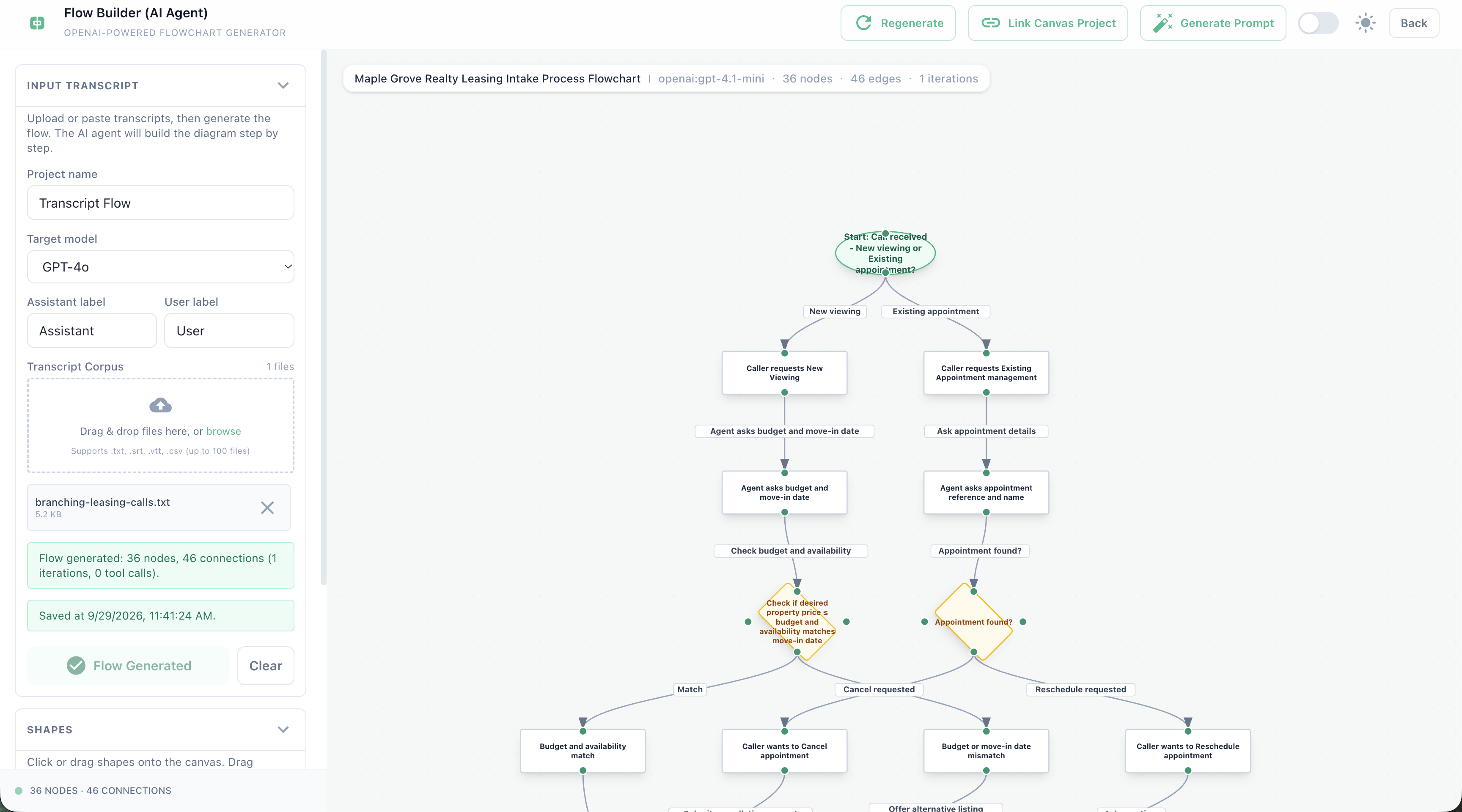
We decided to ingest transcripts of existing calls and turn them into a visual process flow. The diagram gave us something concrete to discuss with clients, edit together and translate into a prompt.
As co-founder and product lead, I worked with three engineers on product strategy, roadmap and sprint planning, translating client requirements into conversation behavior.
01 / Ingest the calls
Start with what people already say.
Upload transcripts of existing conversations. They provide examples of caller intent, the questions staff ask and the different ways a call can unfold.
For this demonstration, seven fictional leasing calls cover viewing requests, unavailable times, pet-policy questions and appointment changes.
Read the demo transcripts ↓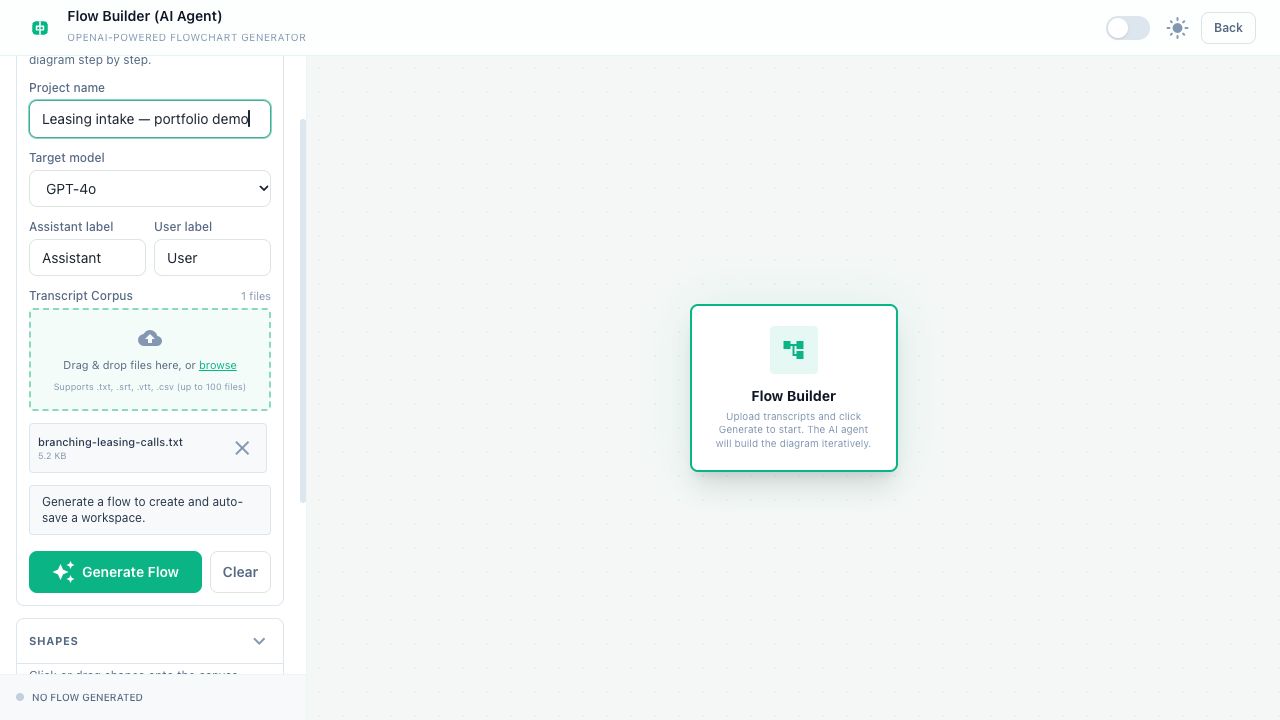
02 / Review it with the client
Turn text into something we can point to.
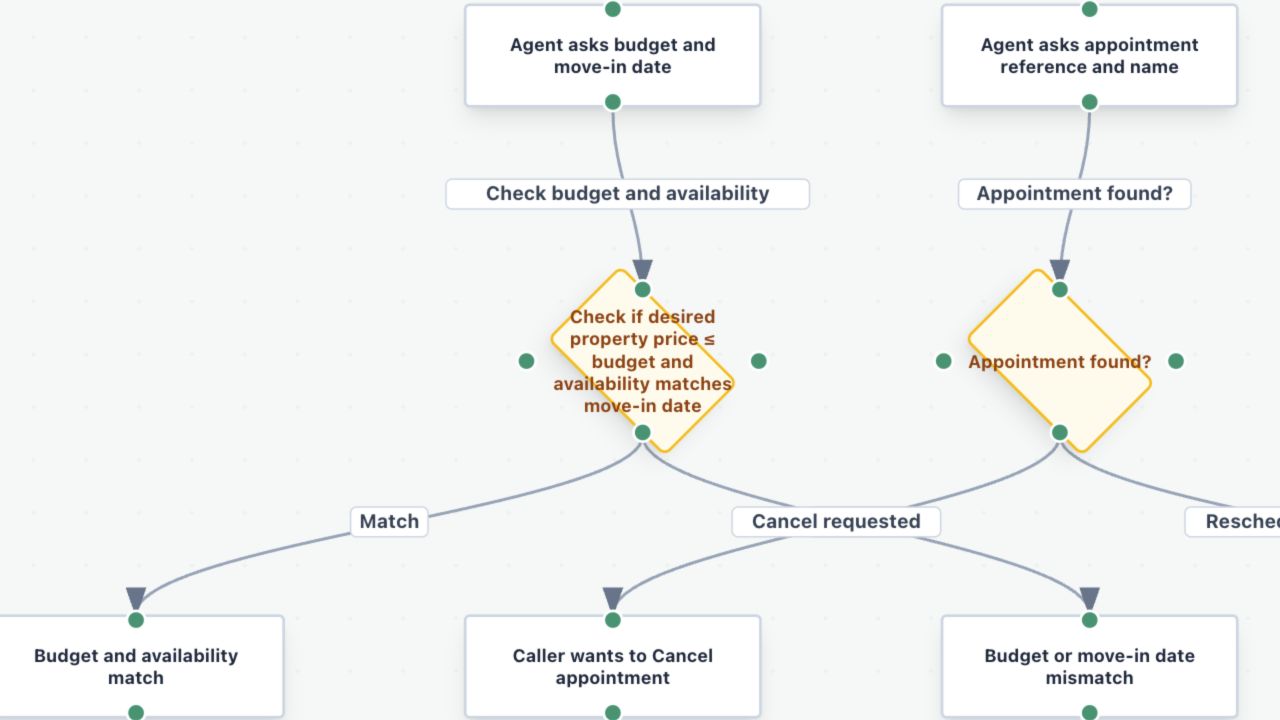
The generated diagram lays out the possible conversation paths. Instead of discussing a long transcript, we can walk through a branch and ask: “Is this what you want the AI agent to do?”
A decision about budget or availability becomes a specific part of the flow to review, rather than another requirement buried in text.
03 / Edit the flow
Make the changes in the same visual artifact.
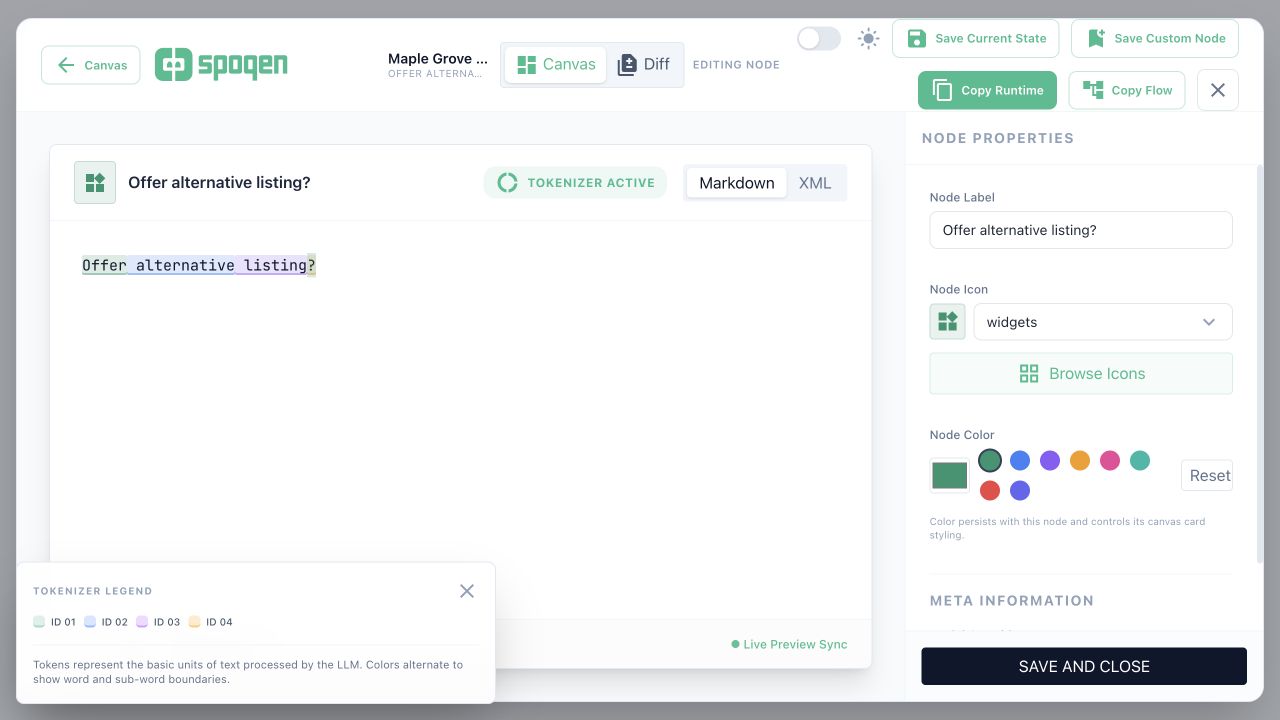
Drag and drop nodes, remove unnecessary steps and edit what a node says. The diagram can evolve as the client clarifies what they want the agent to handle.
This keeps the conversation about requirements connected to the flow that will become the prompt.
04 / Generate the agent prompt
Carry the agreed flow into instructions.
Once the flow reflects what the client wants, generate a prompt from it. The visual work becomes written instructions for how the voice agent should handle the conversation.
The prompt is then ready for review and testing with the agent.
Read the generated prompt ↓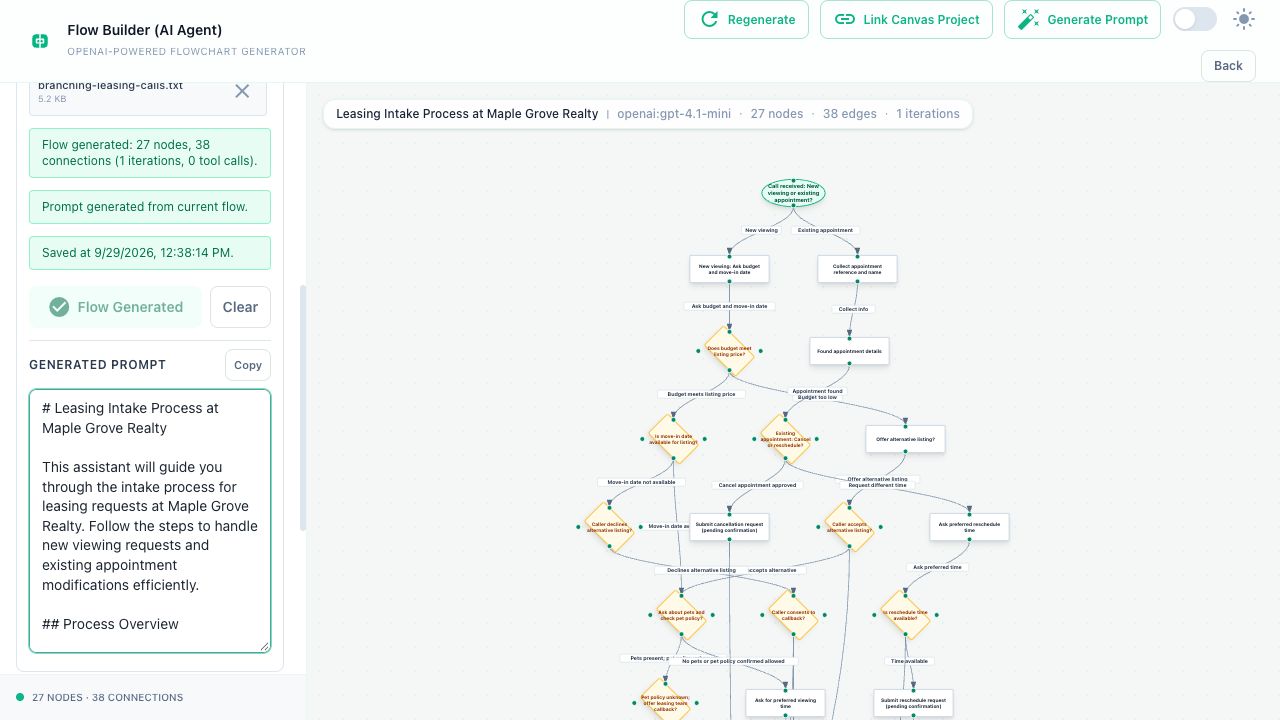
Why a visual flow?
A shared reference for a difficult conversation.
The diagram was more than a way to display AI output. It gave the client and our team a common reference for discussing what the agent should be able to do.
We could point to a decision, discuss the alternatives and change the flow. That made it easier to move from a client’s existing human calls to a defined agent workflow.
Outcome & reflection
A clearer path from human calls to agent-led calls.
This approach made it quicker and easier for us to move from examples of human conversations to an agent prompt. The client discussion, the editable flow and the generated instructions became parts of one workflow.
The key product decision was to make requirements visual before turning them into instructions. We were helping people agree on the behavior they wanted, with AI supporting the translation.
The generated flow still needs review, and the agent still needs testing. The value is a clearer starting point and an easier way to make changes with the client.